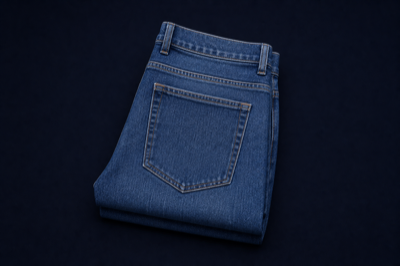
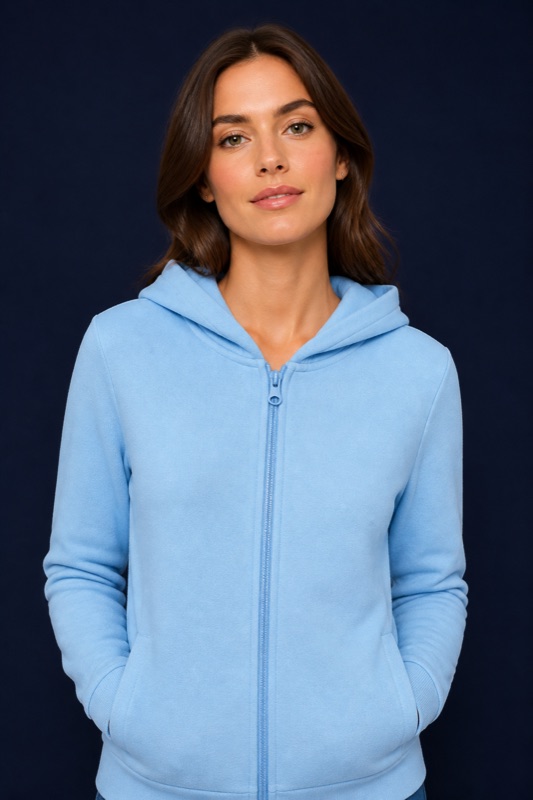
See the garment before the sample is cut.

Sketch to photoreal. Colourways from your palette. Print wrapped on the cloth. Ghost mannequin, flatlay, a six-angle lookbook and a locked 360. What you keep is filed on the style — the preview, the spec, or the eCommerce shot.

Book a Demo

60-minute walkthrough · no commitment

Used by Boardriders, Taking Shape, M.J. Bale and 30+ apparel brands. See customer stories

Generated from the style already on the record

Examples of lookbook angles, worn shots and colourway flats from AI Studio.

Lookbook · A-line Dress · RoseAI Studio
A-line Dress lookbook, front
Front
A-line Dress lookbook, three-quarter
Three-quarter
A-line Dress lookbook, back
Back
A-line Dress lookbook, neckline detail
Detail
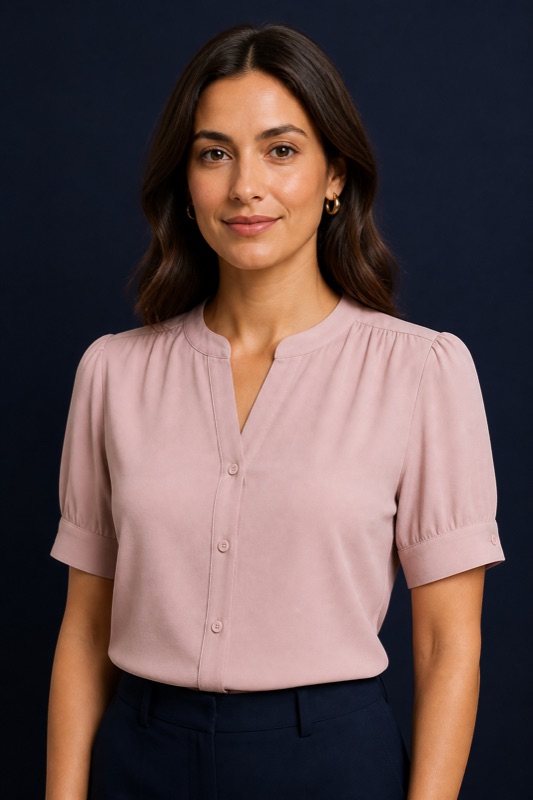
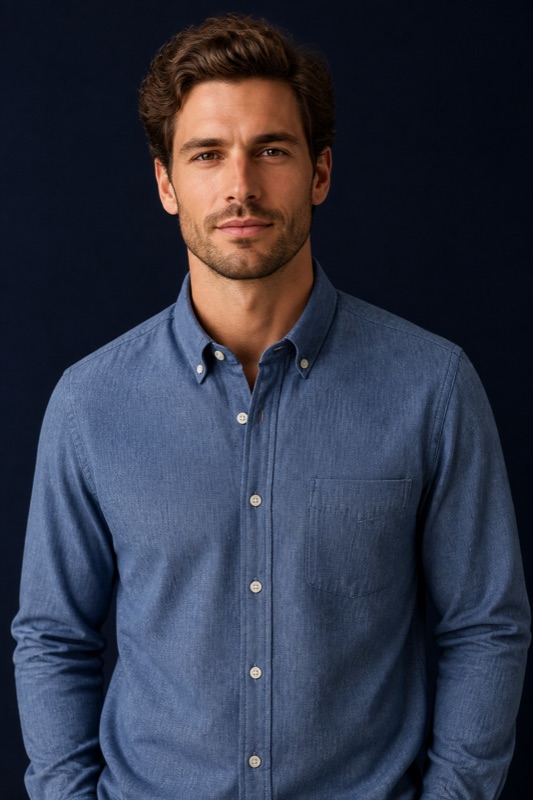
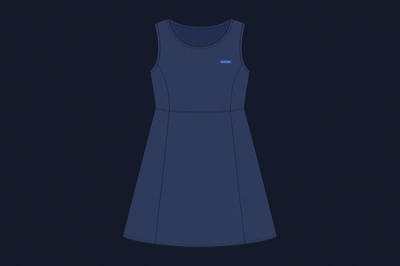
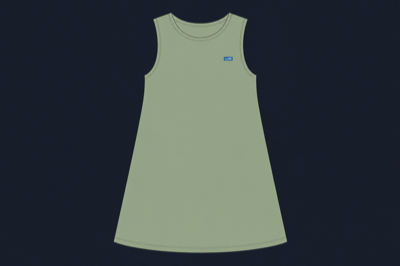
Worn looks and colourwaysOn the style
Worn blouse generated on the style
Worn look
Worn shirt generated on the style
Worn look
A-line Dress colourway, navy technical flat
Navy flat
A-line Dress colourway, sage technical flat
Sage flat

Six modes on one tab of the style

AI Studio sits in the second-level strip on the style, where you already open media, costing and samples. It uses the same login and the same libraries.

Single image

Render the garment in a colourway, a flat chip for a range board, or a close-up of the fabric hand. The same run can start from a sketch, a ghost mannequin, or a print wrapped on the cloth.

Try-on

Combine up to five real styles from your catalogue into one worn outfit, so a look can be reviewed as a picture long before a sample is cut.

Lookbook

The same outfit from six fixed camera angles: front, three-quarter front, profile, back, three-quarter back and waist-up. The angles download together as one set.

Mood board

Arrange the images you kept onto an A3 or A4 page, on a layout your brand uploaded. Pin a comment on the look, scrub the version timeline, then print or share it. Selected boards can also show on the customer portal.

Story board

The same page composer, sequenced with captions, for walking a buyer or a range review through looks in order.

Tech pack

Pick a template your team uploaded, then fill it from the style’s live colours, components, points of measure and specification sketches. It does not invent a pack from a photo.

Sketch to photoreal

A drawing becomes the garment, with the construction held

Choose Sketch to render, attach the drawing, and Studio returns a photoreal of that garment. The neckline, the seam, the proportion stay. Then present the same still the way a buyer or a site expects to see it.

  • ✓ Ghost mannequin: the garment holds shape on an invisible form, no person
  • ✓ Ghostform: a worn three-dimensional shape, still with nobody in it
  • ✓ Flatlay: flattened and shot from above
Sketch to render · A-line DressPhotoreal
Photoreal A-line Dress generated in AI Studio
Construction heldNeckline, seam and proportion from the sketchRendered
Ghost mannequinInvisible form · neutral sweepeCom
FlatlayFrom above, for the range boardStill
Your colours and your cloth

The palette and the fabric are already on the record

Colourways come from the style, or from the brand colour library. A library colour can be written back onto the style as a colourway in the same run. Fabric is a component you already buy, not a generic swatch: the component number and description travel with the image.

  • ✓ Garment, flat colour chip, or a close-up of the fabric hand
  • ✓ Option to add the chosen library colours to the style
  • ✓ Brand look from Company settings on every run
Colourways · A-line DressOn the style
NavyOn the style · garment renderColourway
Brand CoralFrom the colour library · add to this styleLibrary
Denim · Mid blueComponent DN-204 · from the material libraryCloth
Also add to the styleBrand Coral
Print and pattern

Design the artwork, then wrap it on the garment

Generate the print on its own, or place an attached print onto the garment and control how it tiles. Scale, repeat and offset are the same decisions a print room already makes.

  • ✓ Print, yardage, all-over, panel and placement artwork
  • ✓ Wrap that print onto the garment when you are ready to see it worn
  • ✓ Scale, repeat and offset on the wrap
  • ✓ Sketch and print styles download as SVG for the Illustrator plugin
Print wrap · placementOn cloth
Placement printArtwork generated, not yet on the garmentArt
Wrapped on the dressScale 100 · repeat 2 · offset 0On cloth
front.svgVector download for IllustratorSVG
Zip downloadsStay PNG
References and models

Tell Studio which image is the silhouette, and which is the mood

Attach up to five references on a single image or a lookbook: a sketch, a Clo3D or Browzwear still, a campaign crop. On a still, give each one a weight and say what it is for.

  • ✓ Intent per image: silhouette, colour, print or mood
  • ✓ Your own models, kept in Home Files, for try-on and lookbook
  • ✓ Up to five styles in one worn outfit, reviewed before a sample is cut
References · this runWeighted
Worn blouse used as a silhouette reference
Silhouette · 70
Dress used as a colour reference
Colour · 40
Shirt used as a mood reference
Mood · 50
Model from the Home Files library
Model
Motion

A still becomes a clip, or a locked orbit

Video starts from an image already in Studio. Four, six or eight seconds, faster or best quality. A 360 is an orbit of the garment, not a wandering camera. Video is on the style record. The planner does not generate it.

  • ✓ Standard clip from the still
  • ✓ Garment 360: the cloth turns, nobody in frame
  • ✓ On-model 360: the same orbit, worn
Video · A-line Dress · RoseStyle only
Still used as the first frame of an AI Studio video
Standard · 6sFrom this still · best qualityClip
Garment 360Locked orbit · no personOrbit
On-model 360Same orbit, wornOrbit

The language of a design room, not a blank prompt

Eleven art styles and thirteen themes. Occasion and setting are chosen. The garment attributes on the style come with them.

Art styles

From a technical flat to a photographed still. Sketch and the five print styles download as SVG.

Sketch Sketch with colours Print Yardage All over Panel print Placement print Model Still life Diorama Table-top photography

Themes

By occasion, or by the room the garment is in. Blank defaults to Minimalist / Studio.

Leisure / Casual Corporate Eveningwear Activewear Resort Bridal Loungewear Streetwear Outdoor Minimalist / Studio Boho / Festival Coastal Academic / Preppy

Review on the board, then open it in Illustrator

Mood and story boards are a shared page on the style. Pin a note where it applies, scrub back through earlier versions, then take a vector into the Illustrator plugin your designers already use.

Mood board · A-line Dress · RosePins
A-line Dress on a mood board with numbered comment pins 1 2
1Raise the neckline 1 cmDesign · click the pin, write the noteOpen
2Pocket sits too highTech · implement with AI, then confirmPropose
Earlier versionsTimeline
NowCurrent layout
v410:14
v309:02
OriginalGenerated
Viewing Version 4Restore this
Adobe IllustratorPlugin
A-line Dress · front.svgSeven sketch and print styles download as SVGVector
Brand Coral · fillApproved colour from the style, applied in IllustratorSynced
Same style recordIllustrator plugin
What happens to what you keep

Kept images become part of the style record

Adopt a generated image onto the style as its preview, a colourway image, a specification sketch, an eCommerce image or a sample-report photo. From there it flows into the tech pack and the eCommerce feed. You don't re-upload it or keep a second copy in step.

  • ✓ Seven named sections on the style record
  • ✓ Colourways taken from the style or your colour library
  • ✓ Fabric picked from the material library you already maintain
  • ✓ Brand look from Company settings, applied as a chip on the run
Lookbook · A-line Dress · RoseAI Studio
A-line Dress lookbook, front
Front
A-line Dress lookbook, three-quarter
Three-quarter
A-line Dress lookbook, back
Back
A-line Dress lookbook, neckline detail
Detail

Change the garment, then see what you already sold that looked like it

Neckline, sleeve and silhouette follow the attributes on the style. Remove an object when a pocket or a hem is in the wrong place. Then ask the catalogue.

Iterate

Change neckline, sleeve or silhouette, or recolour from the palette on the style. The edit follows the garment details on the record, and the lineage stays with the asset.

Remove an object

Erase a misplaced pocket, a prop or a hem on the still, then generate the next version. The earlier version stays on the timeline.

Like styles

Closest matches from your own catalogue, with a match score and the sales history alongside, held to the same department and category.

Output formats

Print, vector, and where Studio lives

Studio images go up to A3 at 300 DPI for a printed range board. Flats and print artwork download as SVG for the Illustrator plugin. Zip downloads stay PNG. From Home, Studio is a single image on a style you search for. Try-on, lookbook, boards, tech pack and video live on the style. The planner generates stills, not video.

  • ✓ Square, 4:3, 3:4, 16:9 and 9:16, plus A4 and A3
  • ✓ SVG on download for seven sketch and print styles
  • ✓ Video and 360 on the style record only
  • ✓ Home for a single image. Planner for the range, without video
AI Studio and AI Assistant

Studio makes the images, and the assistant answers questions and takes action

AI Assistant answers questions about live styles, orders and costing, and can create a sample request from a sentence. AI Studio is the tab that generates the imagery those records need. They are two products under one login.

  • ✓ Studio: colourways, try-on, lookbook, boards, tech pack
  • ✓ Assistant: ask the PLM, then tell it what to do
  • ✓ Both use the same tenant, roles and style records

How AI Studio compares with a separate creative canvas

Flora Fashion Studio and Raspberry AI sell image generation as the product. StyleChain generates on the record you already run the line on.

Common questions

AI Studio on the apparel style record.

What is AI Studio?

Imagery on the style: sketch to photoreal, colourways, print wrap, ghost mannequin and flatlay, try-on, a six-angle lookbook, boards, a tech pack and short video. Images you keep attach to the style.

Can it start from a sketch?

Yes, on the style. Sketch to render turns a drawing into a photoreal garment and holds the construction. It is not available from Home or on the planner.

Does it use our colours and fabrics?

Yes. Colours come from the style or the brand library, and a library colour can be added to the style as a colourway. Fabric is a component from your material library.

What is a ghost mannequin or a 360?

Ghost mannequin, ghostform and flatlay are stills of the garment with no person. Video can be a standard clip, a garment 360, or an on-model 360. Video is on the style only.

Different from the AI assistant?

Yes. Studio is imagery. The assistant is chat that queries and acts on live PLM data.

Does a generated image stay on the style?

Only when you adopt it into preview, colourway, specification, eCommerce or sample report. It then flows into the tech pack and the eCommerce feed.

Can it generate a tech pack?

Yes. It fills a template your team uploaded, from live colours, components, points of measure and sketches. It does not invent a pack from a photo.

How do we review a board together?

Pin a comment on the look, scrub the version timeline, restore an earlier layout. A pin can be implemented with AI: it proposes the change and you confirm it. Vectors open in the Illustrator plugin.

Home and planner as well as the style?

From Home, Studio is a single image on a style you search for. The planner has a parallel Studio for stills. Video and 360 stay on the style.

See AI Studio on your styles

Give us 60 minutes and we will generate from a style you already know. No commitment, just a conversation.

Book a Demo

60-minute walkthrough · no commitment