Generated images and tech packs that stay on the style

Raspberry AI generates from a sketch or a photo. StyleChain AI Studio does colourways, try-on, lookbooks and packs on the colourway, fabric and POM you already maintain. The image you keep becomes the preview, the spec image or the eCommerce shot.

Book a DemoSee AI Studio

Side-by-side comparison

Raspberry starts from a sketch or a photo. StyleChain starts from the style record.

What mattersStyleChain AI StudioRaspberry AI
Where it livesA tab on the style, a copy on the collection planner, a launcher on HomeA creative platform beside CAD, Adobe and PLM
Starting pointThe style you already built: colour library, material library, POMSketch, CAD, 3D avatar or a garment photo
ColourwaysTaken from the style or your colour library, up to twelve per runUnlimited colour and print exploration in the canvas
Try-onUp to five real catalogue styles in one worn outfitOn-body / on-model campaign generation
Multi-angleLookbook: six fixed cameras as one shootMulti-view and campaign sets
Tech packShipped: fills your template from live colours, components, POM and sketchesGaps on the style are named before you generateShipped: builds an editable pack from product imagery (flats, annotations, POM and BOM)
What happens to the fileAdopt into preview, colourway, specification, eCommerce or sample reportExport PDF or images; complements the stack rather than owning the record
Comparable stylesMatch score and sales history from your own catalogueNot a PLM search
The rest of the lineCosting, sampling, supplier portal, customer portal, AI assistant that acts on live dataCredits across Concept, Presentation, Edit, Mix and Studio

What changes when you generate on the style

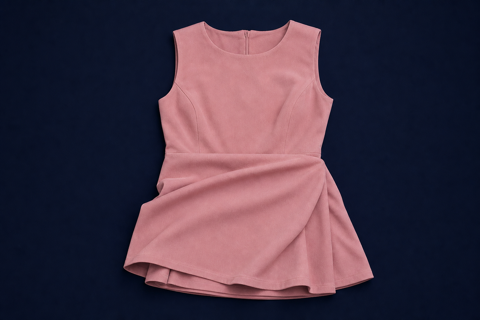
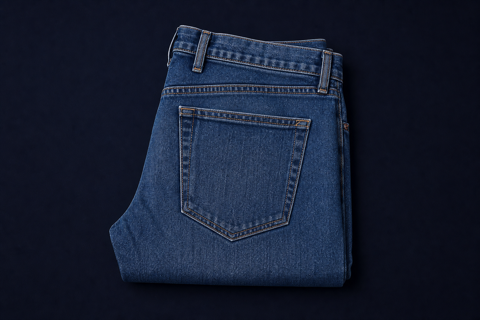
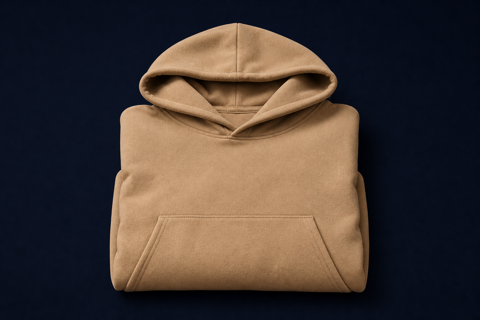
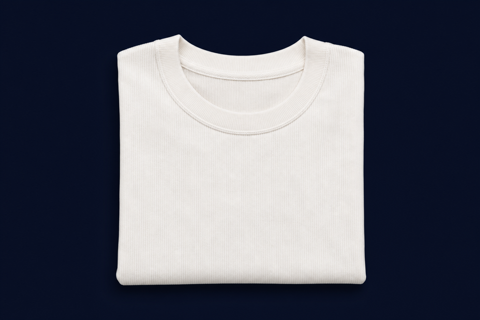
Lookbook and worn shots from AI Studio on the style, and three differences from exporting into a canvas.

Lookbook and worn looksAI Studio
A-line Dress lookbook, front
Front
A-line Dress lookbook, three-quarter
Three-quarter
A-line Dress lookbook, back
Back
Denim worn look on the style
Denim
Hoodie worn look on the style
Hoodie
Rib tee worn look on the style
Rib tee

Colourways read from the style

Studio reads the colours and fabrics already on the style. Raspberry invents variations you then have to file back into PLM.

Tech packs filled from the record

Your POM, components and sketches fill your own template. Raspberry’s pack starts from a picture.

Find similar styles you have sold

Like styles shows what you have already sold that looks like this, and how it sold. A canvas next to PLM can’t search your catalogue, or hold the costing, sample round and factory PO on the same login.

Who StyleChain is for

StyleChain is built for teams who…

  • ✓ Already run styles, colourways and packs in a PLM
  • ✓ Need generated images to become the preview, spec or eCom shot
  • ✓ Want a tech pack filled from live POM and components
  • ✓ Need costing, sampling, suppliers and a buyer portal on the same record

Common questions

Evaluating StyleChain AI Studio against Raspberry AI.

Is StyleChain a replacement for Raspberry?

StyleChain is apparel PLM. Studio covers colourways, try-on, lookbooks and a tech pack on the style, then attaches keepers to the spec and eCommerce feed. Raspberry is a creative canvas beside CAD. It is not the system of record.

How do the tech packs differ?

Raspberry builds a pack from a garment photo. StyleChain fills your template from live colours, components, points of measure and sketches.

Where does the generated file go?

In StyleChain the keeper is adopted onto the style as the preview, colour chip or spec image. You are not exporting a canvas file back into PLM.

Also comparing FLORA · Centric · WFX · Delogue. See AI Studio

See generation on a style you already know

60 minutes on your colourways, lookbooks and packs. No commitment.

Book a Demo

60-minute walkthrough · no commitment